 EN
EN
Quick Links

Home > News > Company news
With the rapid growth of high‑resolution video, external GPUs, high‑speed storage, and multi‑device connectivity, interface bandwidth has become a critical performance bottleneck in modern systems. From USB2.0 to USB3.0 and now USB4.0, the evolution of the USB interface represents not only higher data rates, but also fundamentally new requirements for materials, structural design, and cable transmission capability. In practical applications, whether USB4.0 can deliver stable performance largely depends on the cable itself and its ability to reliably transmit high‑speed signals.
| Feature | USB 2.0 | USB 3.0 | USB4 |
|---|---|---|---|
| Maximum data rate | 480 Mbps | 5 Gbps | Up to 80 Gbps |
| Signal architecture | Basic high-speed signaling | High-speed differential signaling | Multi-protocol high-speed architecture |
| Signal integrity requirement | Relatively low | Higher | Very high |
| Impedance control | Important | Critical | Highly critical |
| Crosstalk control | Lower concern | Important | Major concern |
| Typical applications | Peripherals | Storage, displays | 4K/8K, eGPU, high-speed storage |
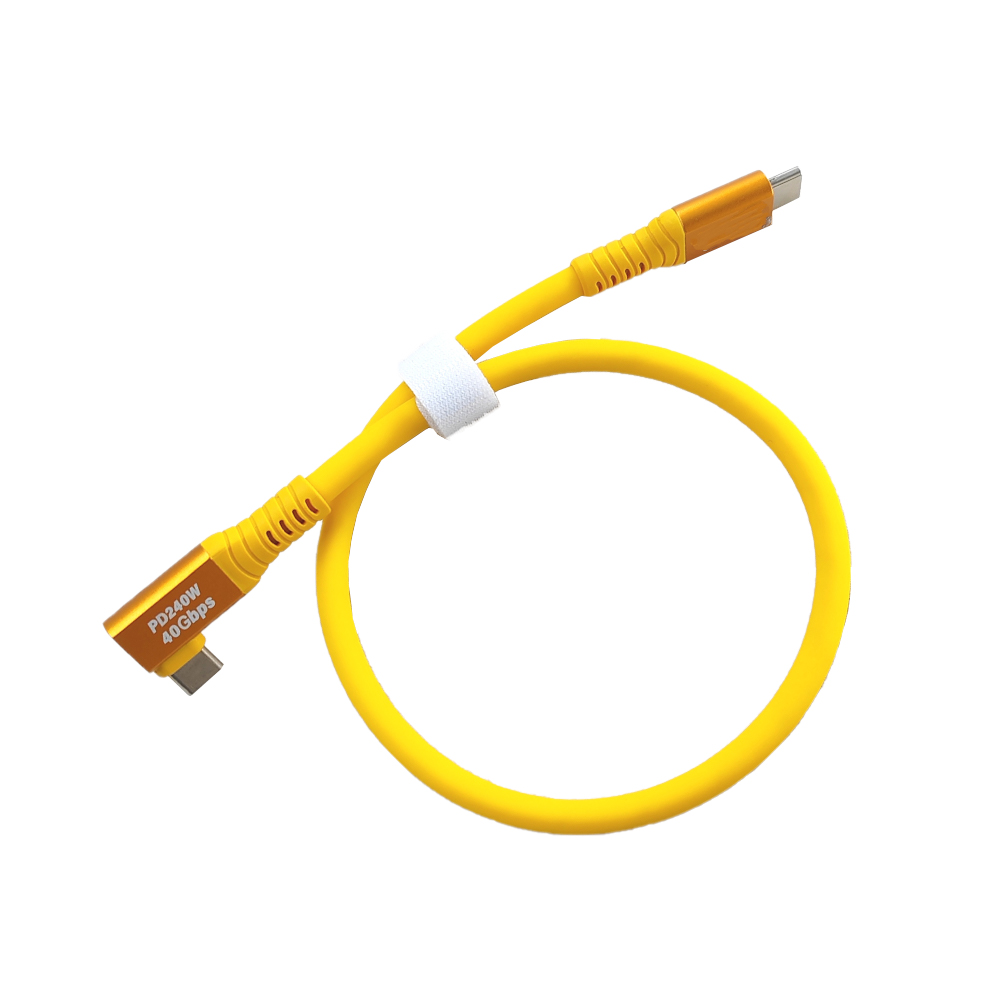
The main difference between USB4 and earlier USB generations is not simply higher data rate. As bandwidth increases, the cable requires tighter control of signal integrity, impedance, crosstalk, differential-pair consistency, shielding, attenuation, and manufacturing tolerances.
If the system requires USB4 high-speed data transmission → evaluate the cable's differential structure, impedance, loss, crosstalk, shielding, and connector interface together → then validate the complete cable assembly under the intended transmission conditions.
If the same connection must carry high-speed data together with video or other high-bandwidth protocols → evaluate signal integrity across the complete cable path → because cable geometry and connector transitions can influence the final transmission margin. For a related high-speed display example, see How Do HDMI Cables Affect Image Quality?.
If the cable must remain compact and suitable for internal device routing → evaluate conductor construction, insulation, shielding, cable OD, and connector dimensions together → rather than choosing the smallest cable based on diameter alone.
The difference between USB 2.0, USB 3.0, and USB4 is therefore an engineering progression from relatively simple high-speed connectivity toward much tighter requirements for high-frequency signal transmission and complete cable-system consistency.
For customized USB4 connections, see HOTTEN's USB4 Wire Harness products.
For broader high-speed interconnect applications, see Display & High-Speed Cable.
For AI-enabled and high-performance electronic systems, see AI & Smart Electronics solutions.
From USB2.0 to USB4.0: The Difference Is More Than Just Speed. USB2.0 is mainly used for low‑speed data transmission and basic peripherals, with a maximum data rate of 480 Mbps. Its requirements for cable impedance control and shielding are relatively relaxed. USB3.0 and USB3.1 introduced high‑speed differential signaling, increasing data rates to 5 Gbps and 10 Gbps, which required much tighter impedance control and symmetric cable structures. USB4.0, based on the Thunderbolt architecture, supports data rates of up to 80 Gbps and integrates data, video, and power delivery into a single interface, making the cable a critical component of the high‑speed system.
Engineering Challenges Introduced by USB4.0. The effective signal frequency range of USB4.0 has entered the tens of gigahertz region, where conductor loss, dielectric loss, and structural asymmetry are significantly amplified. At the same time, USB4.0 supports parallel transmission of high‑speed data and high‑resolution video, placing much higher demands on differential pair consistency, crosstalk control, and shielding stability.
Image Transmission Quality: Why USB4.0 Is More Sensitive to Cable Design. Under the USB4.0 architecture, high‑resolution video signals share the same high‑speed data channels. Impedance discontinuities may cause screen flicker, differential asymmetry can introduce noise or image instability, and insufficient shielding may result in frame drops or abnormal display behavior. Any instability within the cable can be directly amplified and reflected in visible image quality issues.
Typical Application Scenarios for USB4.0. USB4.0 is widely used in 4K and 8K displays, high‑speed storage devices, external GPUs (eGPU), industrial vision systems, and other high‑performance applications. In these scenarios, signal integrity and long‑term cable reliability directly determine overall system stability.
What Makes a USB4.0 Cable Truly Usable? A truly usable USB4.0 cable does more than simply meet protocol specifications. It must maintain stable impedance control, consistent shielding performance, and repeatable, mass‑production‑ready manufacturing stability under high‑speed transmission conditions.
USB4.0 Cables vs. Thunderbolt Cables: Engineering Differences. Thunderbolt cables must pass strict certification processes and are designed with more conservative margins in impedance control, shielding structure, and attenuation budget. As a result, they are typically thicker and less flexible. USB4.0 cables, while meeting 80 Gbps performance requirements, offer greater engineering flexibility and are better suited for a wide range of applications and scalable production.
Hotten’s Engineering Capabilities in High‑Speed Data Cables. Hotten has accumulated extensive experience in ultra‑fine coaxial cables and high‑speed differential cable design. These capabilities are applied to the development and manufacturing of USB4.0 cables, where systematic optimization of structure and materials enables stable, reliable solutions for high‑speed data and image transmission, with a strong focus on manufacturability and long‑term performance consistency.
USB4 cable selection should be based on the actual system requirements rather than the USB generation or nominal data rate alone. Engineers should evaluate electrical performance, cable structure, connector configuration, mechanical conditions, and production requirements as one complete interconnect.
If the application requires high-bandwidth data, external GPU connectivity, high-speed storage, or display transmission → define the required data rate and supported protocol functions first → then evaluate the cable's signal-integrity requirements.
USB4 systems can carry high-speed data and display-related traffic through the same interface, so the cable must be evaluated according to the complete application rather than a single transfer-rate number.
For related high-speed display transmission considerations, see How Do HDMI Cables Affect Image Quality?.
If the application uses high-speed differential transmission → evaluate differential-pair geometry, impedance consistency, insertion loss, return loss, and crosstalk together → then validate the complete cable under the required operating conditions.
At higher bandwidths, structural asymmetry and manufacturing variation can become more significant. The cable therefore needs consistent conductor geometry and dielectric structure throughout production.
For related high-frequency cable geometry and impedance considerations, see The Importance of Impedance Consistency in Ultra-Fine AWG Micro Coaxial Cables.
If the USB4 cable operates in a dense electronic environment → evaluate shielding structure, pair-to-pair crosstalk, grounding, cable geometry, and connector transitions together → then validate the complete interconnect.
Shielding should not be considered independently from cable flexibility and dimensions. A more complex shielding structure may affect OD, stiffness, and manufacturing requirements.
For compact customized high-speed assemblies, see HOTTEN's USB4 Wire Harness products.
If the device has limited internal routing space → evaluate cable OD and conductor structure together with impedance, loss, crosstalk, and shielding → then select the smallest structure that can satisfy the complete system requirements.
Reducing conductor size alone does not determine the final cable diameter. Insulation, shielding, jacket, connector geometry, and assembly structure also contribute to the final routing envelope.
For compact high-speed interconnects, see HOTTEN's Display & High-Speed Cable solutions.
If the USB4 cable connects to a compact Type-C or other high-speed interface → define the connector, pin assignment, termination method, and available interface space before finalizing the cable structure → then validate the cable and connector as one transmission path.
A cable that performs well in the free span can still encounter discontinuities or mechanical problems near the termination region. Connector integration should therefore be considered during cable development rather than treated as a final assembly step.
Different applications may require different cable priorities.
If the cable is used for external high-speed storage or peripheral connectivity → prioritize signal integrity, connector durability, cable length, shielding, and mechanical reliability → then validate the complete connection.
If the cable is used for 4K/8K display or video transmission → prioritize signal integrity, loss, crosstalk, shielding, and connector performance → then validate the cable with the actual host and display architecture.
If the cable is used for an eGPU or high-performance computing connection → prioritize bandwidth, loss, differential-pair consistency, thermal and mechanical conditions, and connector reliability → then validate the complete system link.
If the cable is integrated inside an AI device or smart-electronics platform → prioritize compact routing, high-speed signal integrity, shielding, connector integration, and manufacturing consistency → then select the appropriate USB4 cable or wire-harness architecture.
For AI and smart-electronics applications, see AI & Smart Electronics.
Before requesting a USB4 prototype or quotation, the engineering or procurement team should define:
| Requirement | Parameters to Confirm |
|---|---|
| Application | Storage, display, eGPU, camera, embedded device |
| Data Requirement | Required transfer rate / protocol |
| Video | Resolution and display requirements, when applicable |
| Cable Length | Finished length and routing path |
| Electrical | Impedance, insertion loss, return loss, crosstalk |
| Differential Pairs | Pair structure, symmetry, spacing |
| Shielding | Shield structure, coverage, grounding |
| Dimensions | Cable OD, available routing space |
| Connector | Manufacturer, PN, Type-C or other interface |
| Mechanical | Bend radius, flexibility, mating / handling requirements |
| Environment | Temperature, EMI and installation conditions |
| Validation | Electrical, mechanical and dimensional testing |
| Production | Prototype quantity, annual volume, process consistency |
Where available, OEMs should provide the connector part number, cable length, signal requirements, routing conditions, and existing drawings or samples.
The USB4 cable development process can be summarized as:
Application → data / video requirements → cable length → differential-pair requirements → impedance / loss → shielding → cable geometry → connector → prototype → electrical validation → mechanical validation → production validation
If high-speed signal integrity is the primary constraint → prioritize impedance, insertion loss, return loss, crosstalk, and pair consistency → then validate the complete cable link.
If compact device integration is the primary constraint → prioritize cable OD, connector dimensions, shielding, and routing flexibility → then verify signal performance within the available space.
If the cable must operate in a dense electronic environment → prioritize shielding and crosstalk control together with signal integrity → then validate the finished assembly in the intended environment.
If several constraints are equally important → define the complete system requirements first → then optimize the cable, shielding, connector, and termination as one interconnect.
For customized USB4 applications, see HOTTEN's USB4 Wire Harness.
For high-speed display and embedded interconnects, see Display & High-Speed Cable.
For broader high-speed electronic applications, see Consumer Electronics.
A: Yes. USB4 supports significantly higher data rates than USB 3.0. USB4 can support 20 Gbps and 40 Gbps signaling, while newer USB4 specifications extend performance up to 80 Gbps. The actual speed depends on the USB version, host device, cable and connected peripherals.
A: Yes. The higher data rates of USB4 make impedance control, insertion loss, return loss, crosstalk and differential-pair consistency increasingly important for reliable high-speed transmission.
A: USB4 can carry display protocols alongside data through its high-speed architecture, making it suitable for high-bandwidth display applications. Actual 4K or 8K support depends on the host, display, cable and supported protocol capabilities.
A: The main difference is not only data rate. USB4 cable designs generally require tighter control of signal integrity, impedance, loss, crosstalk and high-frequency transmission performance to support their higher bandwidth.
A: Yes. USB4 cable assemblies can be customized according to requirements such as cable length, conductor construction, shielding, impedance, flexibility and connector configuration.
 Hot News
2026-09-17
2026-09-04
2025-12-17
2025-12-11
2025-12-05